
Clean Developer Caches on Mac — Reclaim Gigabytes Instantly
Your Mac accumulates gigabytes of Xcode DerivedData, Gradle caches, npm packages, and other developer clutter. SweepKit scans 12 categories and lets you reclaim your disk space with one click.
Requires macOS 13.0 or later. No account required.
What SweepKit Finds — 12 Developer Cache Categories
SweepKit scans your Mac for developer caches, build artifacts, old simulators, and package manager bloat across 12+ tool categories.
Xcode Cache
Clean DerivedData, archives, old simulators, and device support files.
Android Studio & Gradle
Delete Gradle caches, AVDs, and system images to free up space.
Flutter & Dart Cache
Clear pub cache and Dart packages taking up disk space.
npm, Yarn & pnpm Caches
Clean npm cache and other package manager caches eating your disk.
CocoaPods Cache
Clean repos and spec cache from CocoaPods installs.
Python, Ruby, Rust, Go & Homebrew
Clear pip, gem, Cargo, Go module, and Homebrew caches.
System Logs & Crash Reports
Remove old system logs, crash reports, and diagnostic data.
Old Downloads
Forgotten downloads and installer packages.
SweepKit cleans caches for: Xcode DerivedData, Gradle, npm, Yarn, pnpm, CocoaPods, Flutter pub cache, Python pip, Ruby gems, Rust Cargo, Go modules, Homebrew, system logs, crash reports, and old downloads.
How It Works — Clean Developer Caches in 3 Steps
No complicated setup. No account needed. Just download and start cleaning.
Scan
SweepKit scans your Mac for developer caches from Xcode, Gradle, npm, CocoaPods, and 8 more tools in seconds.
Review
Browse every file before cleaning. Select what to remove and keep what you need — full control over what gets cleaned.
Clean
One click to move selected files to Trash. Nothing is permanently deleted — restore anytime from macOS Trash.
See It in Action
A clean, native macOS experience designed to feel right at home.
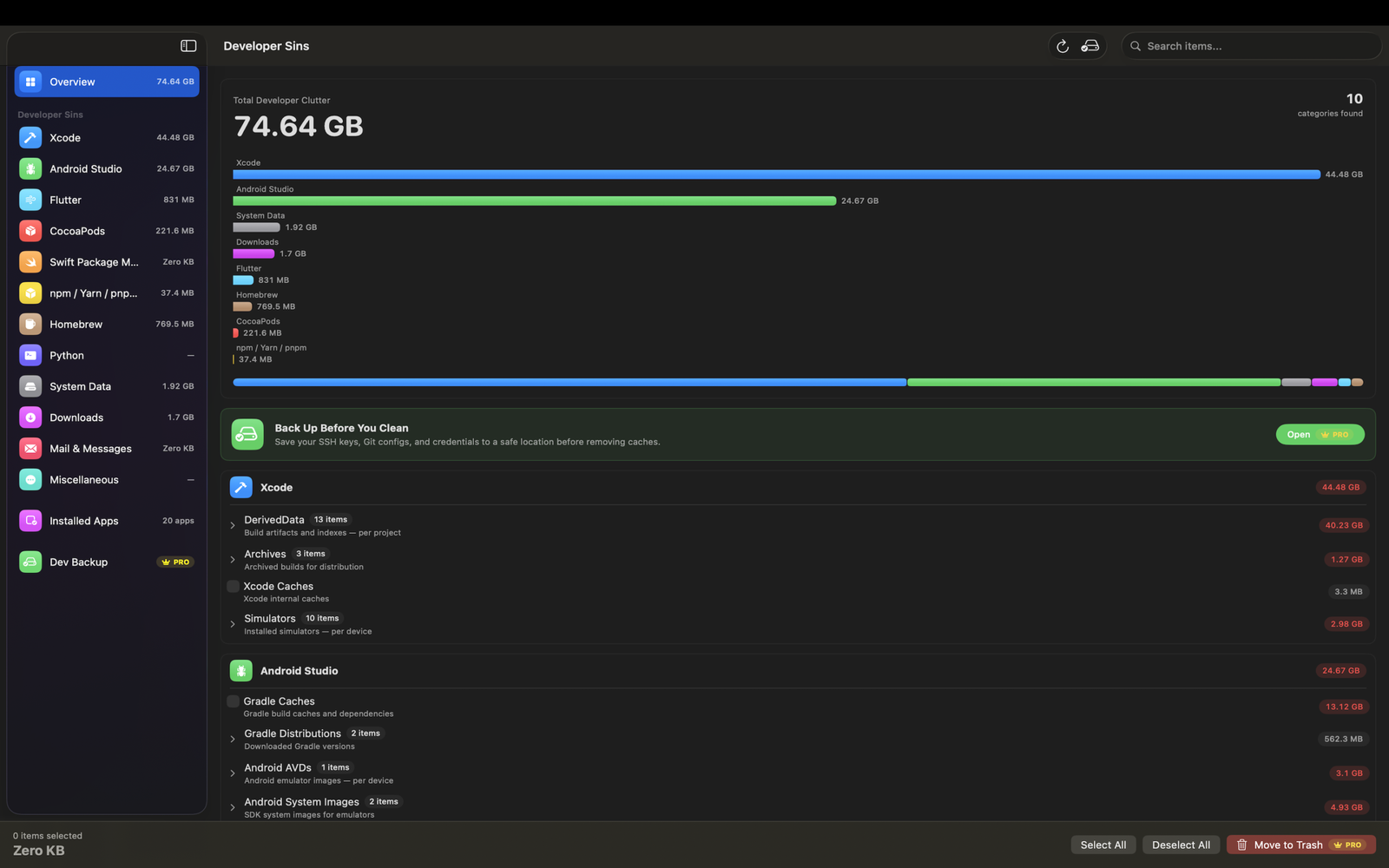
Overview Dashboard
See total clutter across all categories with a visual breakdown.
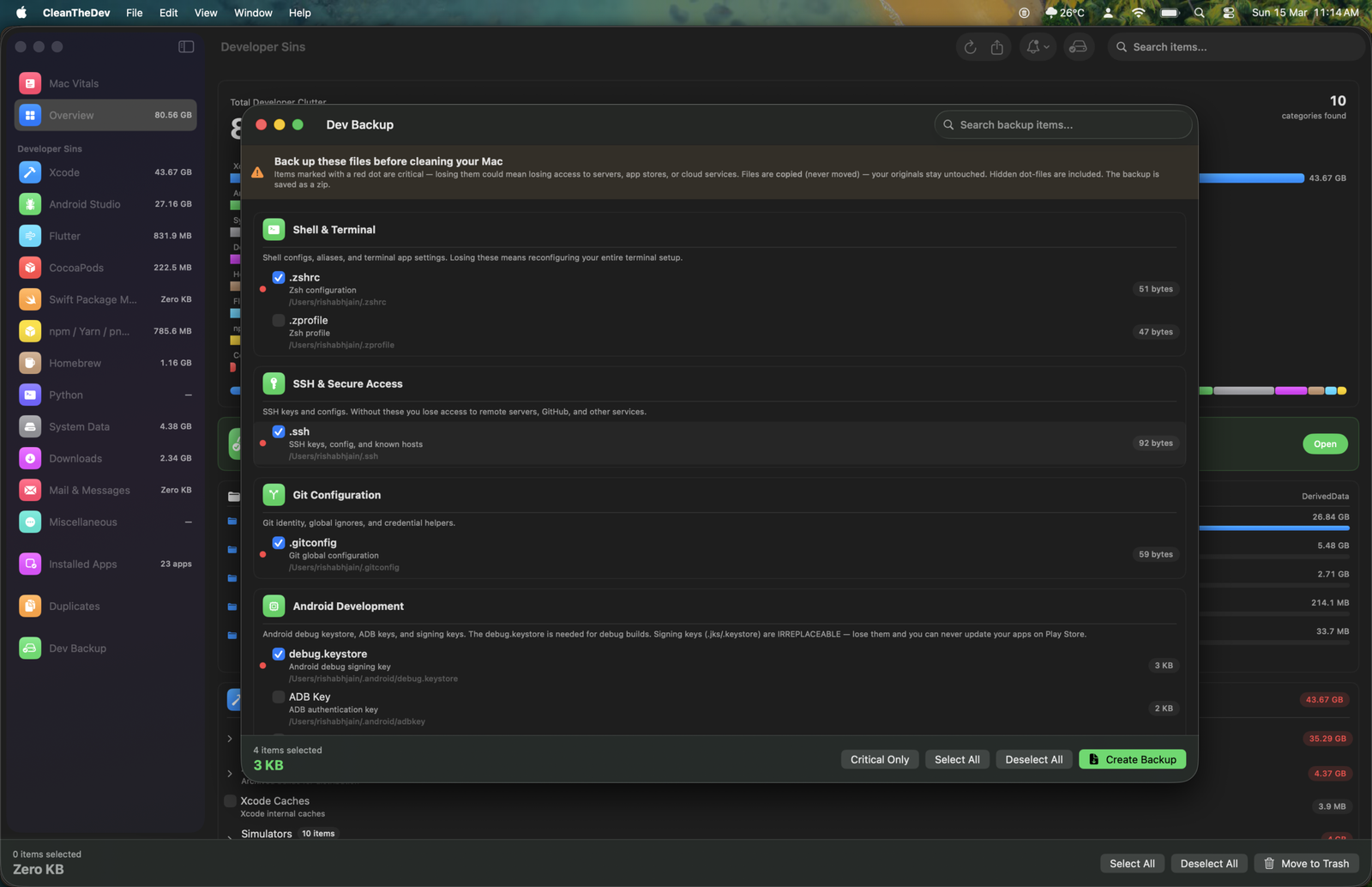
Dev Backup
Back up SSH keys, Git configs, and credentials before cleaning.
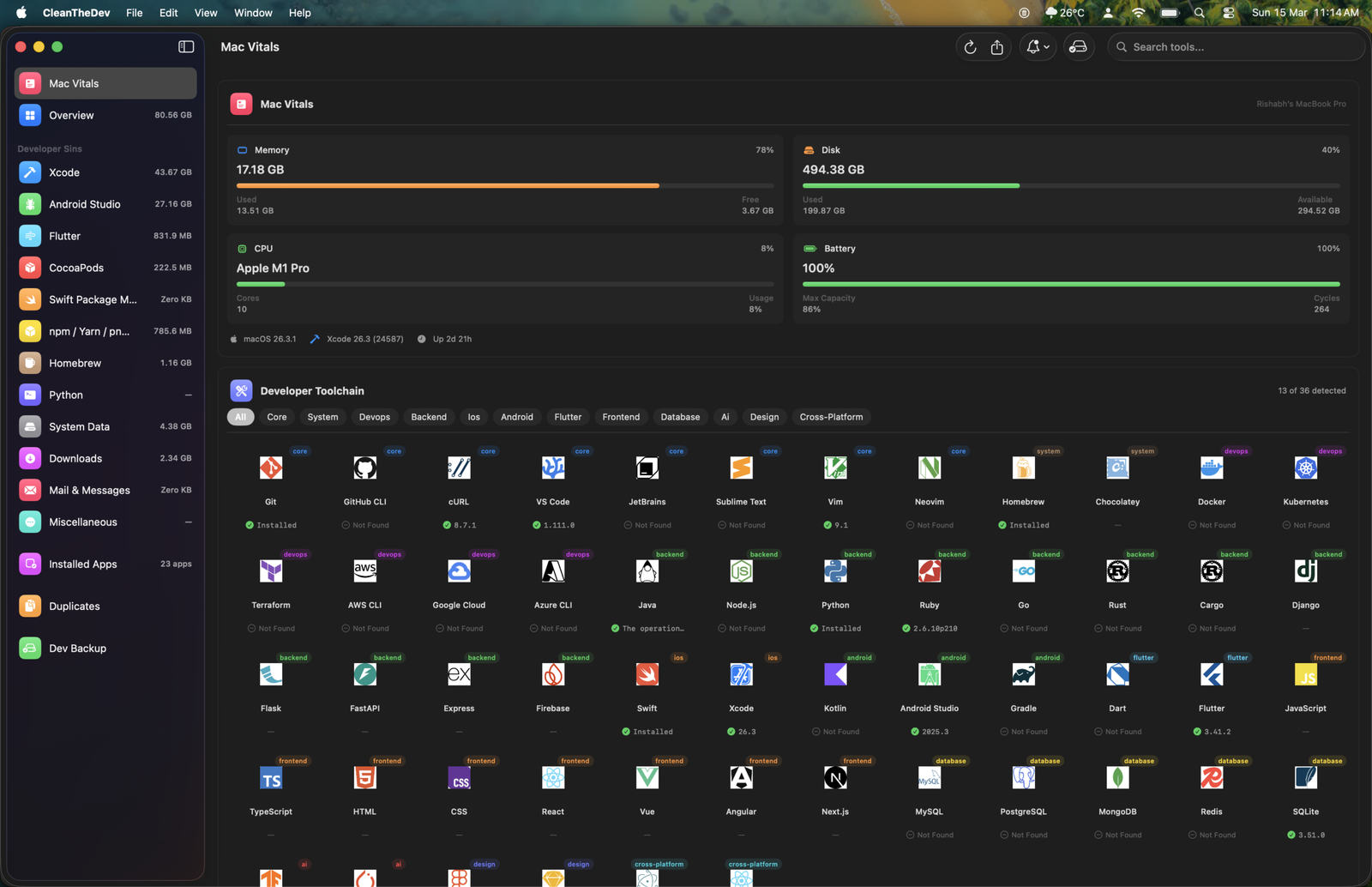
Mac Vitals
Monitor system health and detect installed developer tools.
Key Features
Powerful tools to keep your Mac running lean.
Overview Dashboard
See a complete size breakdown by category. Know exactly where your disk space is going at a glance.
Lightning-Fast Scan
Scan 12 developer tool categories in seconds. No waiting around — get results instantly.
Safe by Design
Everything goes to Trash — nothing is permanently deleted. Restore anytime. No data leaves your Mac.
Dev Backup
Save your SSH keys, Git configs, and credentials before cleaning. Never lose important dev files.
App Manager
View and manage all installed applications with detailed size information.
Light & Dark Mode
A clean sidebar interface with light and dark mode support that looks right at home on macOS.
Loved by Developers
See what developers are saying about SweepKit.
Recovered 47 GB on my MacBook Pro. I had no idea Xcode DerivedData was eating that much space. SweepKit found it in seconds.
The Dev Backup feature is brilliant. I can clean everything without worrying about losing my SSH keys or Git configs. Should be built into macOS.
Finally a cleaner that actually understands developer tools. CleanMyMac never touched my Gradle caches or node_modules. SweepKit gets it.
Start Cleaning Your Mac Developer Caches Today
Download SweepKit for free and reclaim gigabytes of wasted disk space in minutes. No account required.
Free to download. $19.99/year. No account needed. macOS 13.0+